Tutorial · Linux (.deb & AppImage)
Install monVPN v3 on Linux
Our Linux VPN client is built to be simple. Pick the .deb package for Debian/Ubuntu, or the portable AppImage for any modern distribution.
How it works
Install in three steps
-
1
Download
Grab the .deb package or the AppImage based on your distro.
-
2
Install
Install the .deb with your package manager or
sudo dpkg -i. For the AppImage, mark it executable and run it. -
3
Connect
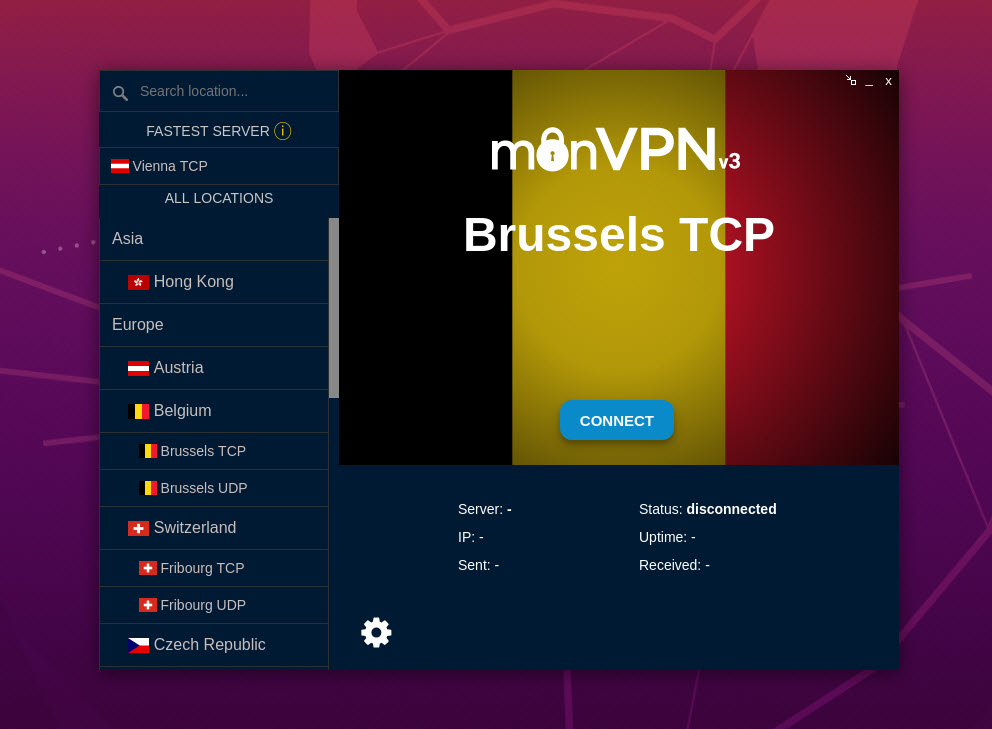
Launch monVPN v3, enter your VPN credentials, pick a country and click Connect.
VPN credentials ≠ client area credentials
Your VPN credentials are different from your client area login. Find them in the client area → Services, by clicking your active VPN service. They are case-sensitive.
Preview
What the client looks like