Help · Remote takeover
Remote support with TeamViewer
If you're still stuck after going through our tutorials, we can help you out remotely with TeamViewer — by prior arrangement, securely, and entirely under your control.
What is it?
TeamViewer, in a nutshell
TeamViewer is software that lets us reach your machine remotely in a secure way, with you present and in control. Our technicians can troubleshoot without you having to send anything sensitive.
TeamViewer runs on Windows, macOS and Android. The consumer version is free on every platform.
How to
How to use TeamViewer
-
1
Visit the website
Open teamviewer.com.
-
2
Download QuickSupport
Download TeamViewer QuickSupport for your system and run it.
-
3
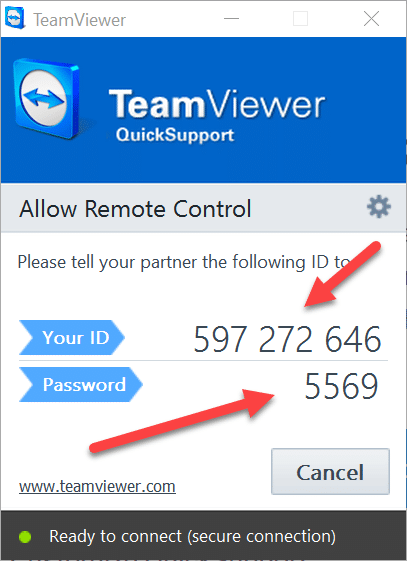
Send us the ID
Send us the ID and the password the app shows. We connect, you stay in control.